> ## Documentation Index
> Fetch the complete documentation index at: https://tigerdata-747200db-chore-custom-colored-homepage.mintlify.site/llms.txt
> Use this file to discover all available pages before exploring further.
# Integrate Apache Airflow with Tiger Cloud
> Apache Airflow is a platform to programmatically author, schedule, and monitor workflows. Integrate Apache Airflow with Tiger Cloud and create a data pipeline
export const SERVICE_LONG = 'Tiger Cloud service';
export const SELF_LONG = 'self-hostedTimescaleDB';
export const PG = 'Postgres';
export const CONSOLE = 'Tiger Cloud Console';
export const CLOUD_LONG = 'Tiger Cloud';
Apache Airflow® is a platform created by the community to programmatically author, schedule, and monitor workflows.
A [DAG (Directed Acyclic Graph)][Airflow-DAG] is the core concept of Airflow, collecting [Tasks][Airflow-Task] together,
organized with dependencies and relationships to say how they should run. You declare a DAG in a Python file
in the `$AIRFLOW_HOME/dags` folder of your Airflow instance.
This page shows you how to use a Python connector in a DAG to integrate Apache Airflow with a {SERVICE_LONG}.
## Prerequisites
To follow the steps on this page:
* Create a target [{SERVICE_LONG}][create-service] with time-series and analytics enabled.
You need [your connection details][connection-info]. This procedure also
works for [{SELF_LONG}][enable-timescaledb].
[create-service]: /cloud/tiger/get-started/create-services
[enable-timescaledb]: /open-source/timescaledb/install-and-update/install-self-hosted
[connection-info]: /integrations/find-connection-details
* Install [Python3 and pip3][install-python-pip]
* Install [Apache Airflow][install-apache-airflow]
Ensure that your Airflow instance has network access to {CLOUD_LONG}.
This example DAG uses the `company` table you create in [Optimize time-series data in hypertables][create-a-table-in-timescale]
## Install python connectivity libraries
To install the Python libraries required to connect to {CLOUD_LONG}:
1. **Enable {PG} connections between Airflow and {CLOUD_LONG}**
```bash
pip install psycopg2-binary
```
2. **Enable {PG} connection types in the Airflow UI**
```bash
pip install apache-airflow-providers-postgres
```
## Create a connection between Airflow and your {SERVICE_LONG}
In your Airflow instance, securely connect to your {SERVICE_LONG}:
1. **Run Airflow**
On your development machine, run the following command:
```bash
airflow standalone
```
The username and password for Airflow UI are displayed in the `standalone | Login with username`
line in the output.
2. **Add a connection from Airflow to your {SERVICE_LONG}**
1. In your browser, navigate to `localhost:8080`, then select `Admin` > `Connections`.
2. Click `+` (Add a new record), then use your [connection info][connection-info] to fill in
the form. The `Connection Type` is `Postgres`.
## Exchange data between Airflow and your {SERVICE_LONG}
To exchange data between Airflow and your {SERVICE_LONG}:
1. **Create and execute a DAG**
To insert data in your {SERVICE_LONG} from Airflow:
1. In `$AIRFLOW_HOME/dags/timescale_dag.py`, add the following code:
```python
from airflow import DAG
from airflow.operators.python_operator import PythonOperator
from airflow.hooks.postgres_hook import PostgresHook
from datetime import datetime
def insert_data_to_timescale():
hook = PostgresHook(postgres_conn_id='the ID of the connenction you created')
conn = hook.get_conn()
cursor = conn.cursor()
"""
This could be any query. This example inserts data into the table
you create in:
https://docs.tigerdata.com/getting-started/latest/try-key-features-timescale-products/#optimize-time-series-data-in-hypertables
"""
cursor.execute("INSERT INTO crypto_assets (symbol, name) VALUES (%s, %s)",
('NEW/Asset','New Asset Name'))
conn.commit()
cursor.close()
conn.close()
default_args = {
'owner': 'airflow',
'start_date': datetime(2023, 1, 1),
'retries': 1,
}
dag = DAG('timescale_dag', default_args=default_args, schedule_interval='@daily')
insert_task = PythonOperator(
task_id='insert_data',
python_callable=insert_data_to_timescale,
dag=dag,
)
```
This DAG uses the `company` table created in [Create regular {PG} tables for relational data][create-a-table-in-timescale].
2. In your browser, refresh the Airflow UI.
3. In `Search DAGS`, type `timescale_dag` and press ENTER.
4. Press the play icon and trigger the DAG:
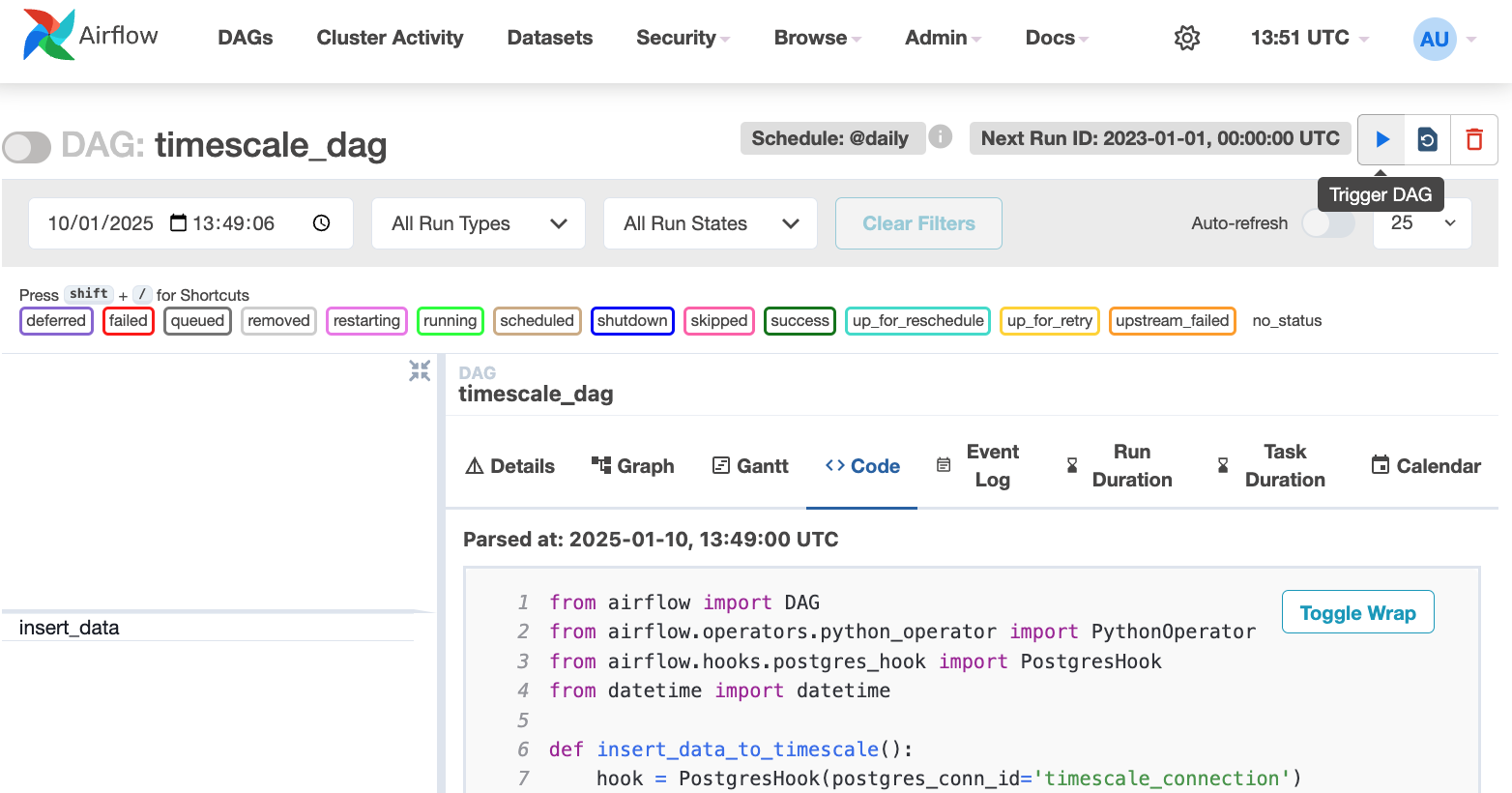
2. **Verify that the data appears in {CLOUD_LONG}**
1. In [{CONSOLE}][console], navigate to your service and click `SQL editor`.
2. Run a query to view your data. For example: `SELECT symbol, name FROM company;`.
You see the new rows inserted in the table.
You have successfully integrated Apache Airflow with {CLOUD_LONG} and created a data pipeline.
[create-a-table-in-timescale]: /getting-started/:currentVersion:/try-key-features-timescale-products/#optimize-time-series-data-in-hypertables
[install-apache-airflow]: https://airflow.apache.org/docs/apache-airflow/stable/start.html
[install-python-pip]: https://docs.python.org/3/using/index.html
[console]: https://console.cloud.timescale.com/
[create-service]: /cloud/get-started/create-services
[enable-timescaledb]: /self-hosted/:currentVersion:/install/
[connection-info]: /integrations/:currentVersion:/find-connection-details/
[Airflow-DAG]: https://airflow.apache.org/docs/apache-airflow/stable/core-concepts/dags.html#dags
[Airflow-Task]: https://airflow.apache.org/docs/apache-airflow/stable/core-concepts/tasks.html
[Airflow_UI]: localhost:8080